
We added a CVE tracker to the site. It’s a simple place to check new security issues as they come out. If you work in security or deal with servers, it should save you time.
What a CVE Is
A CVE is just an ID for a known vulnerability. It has a short description and a score that shows how serious it is. People use it to decide what to fix first.
Admins patch systems.
Researchers look for patterns.
Developers check their libraries.
Pentesters look for weak spots.
That’s basically it.
What the Tracker Does
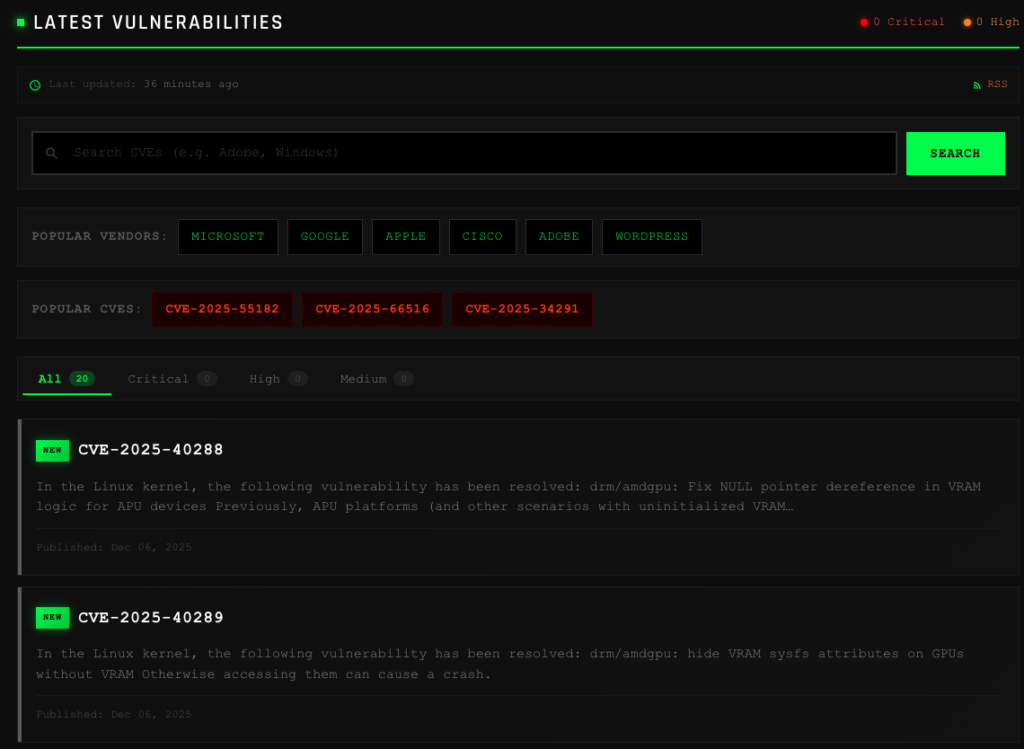
Search
You can look up a CVE by its ID, vendor name, or a simple keyword. So if you only remember “SQL injection” or “Apache”, it still works.
Vendor Pages
There are pages for big vendors like Microsoft, Google, Apple, Cisco, Adobe, and WordPress. Each page lists the issues related to that vendor. It helps if you want a quick view of what affects your stack.
Severity View
Each entry shows the CVSS score.
Critical, high, medium, low.
You don’t need to guess what matters first.
Detailed Pages
Every CVE opens to a page with more info. It shows the full description, the vector breakdown, the affected software list, and links to the original sources. Nothing fancy. Just the details you need.
Email Alerts (coming later)
We plan to add email alerts for high-severity CVEs. Only for the important ones. No spam.
Why We Made It
We wanted a clean place to check new vulnerabilities without logging into anything or paying for anything.
The data comes from the National Vulnerability Database, but we show it in a simpler way. That’s the whole idea.
Try It
You can open the tracker here: CVE Tracker
Check the latest issues or search for something you’re tracking right now.
If you find bugs or want features, just tell us.